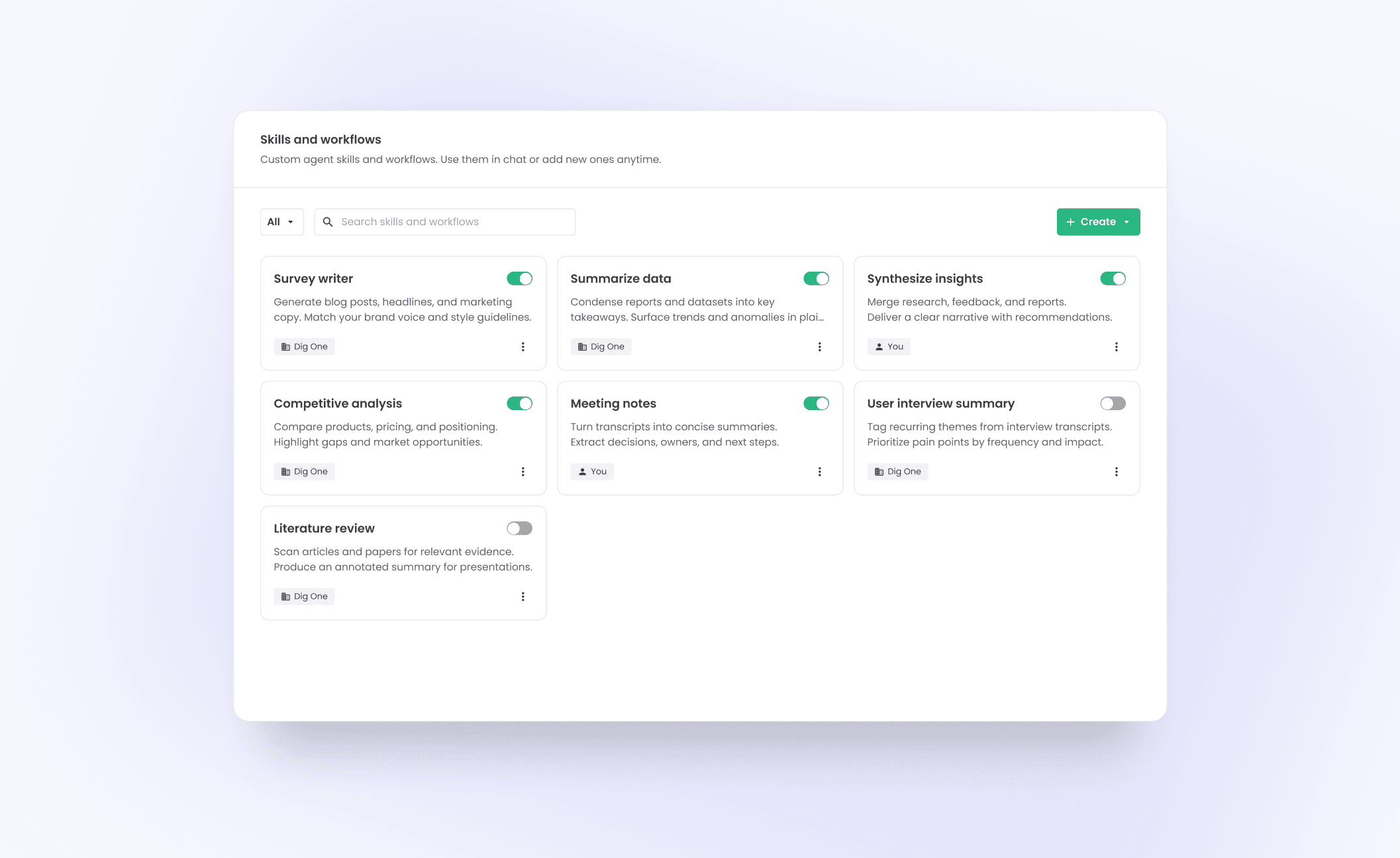
Context gives the agent access to Dig methodologies, client profiles, studies, and platform knowledge.
 All work
Dig One agentic system
I designed an AI research agent across the end-to-end research lifecycle.
- Role
- Staff Product Designer
- Team
- Designer, PM, EM, 7 engineers, QA
- Company
- Dig Insights
- Focus
- AI agents, research tools, platform experience
Overview
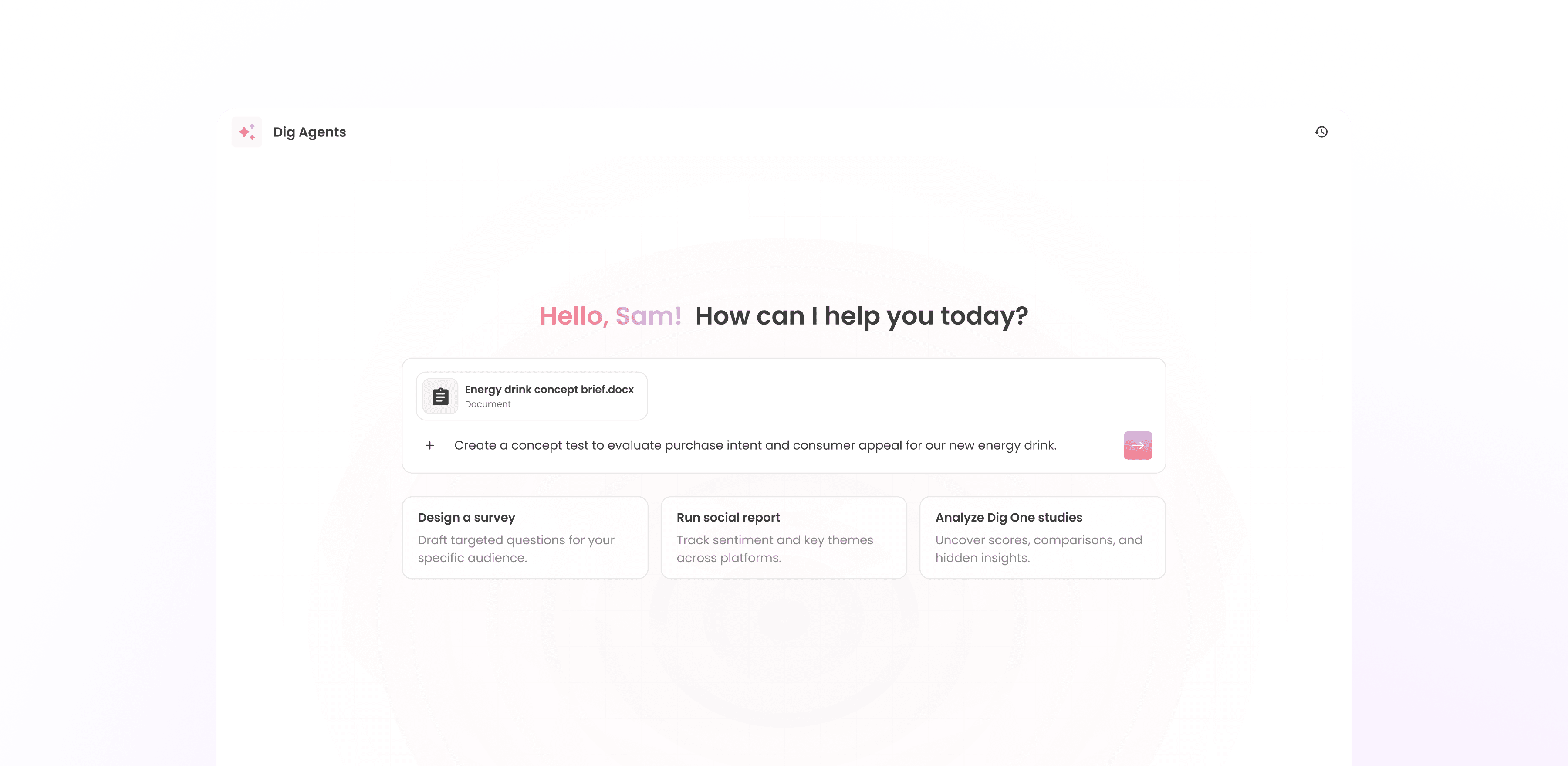
Dig Agent: one AI partner across Dig One
Dig One is a research platform, bringing survey and innovation testing (Upsiide), social listening (OneCliq), and reporting into one place for researchers and their clients. But each tool had its own entry point, so researchers lost context as they move across the workflow.
As Staff Product Designer, I led the product vision and experience for bringing these capabilities together into one context-aware agent across the platform.
The goal wasn't simply to add a chatbot. It was to design an agentic system that understands research intent, carries context, and orchestrates the right capabilities as the work evolves.
How it works
One engine, one experience
Dig Agent is built as a system of skills, context, and tools. Together, these layers connect Dig One’s existing products and Dig’s research knowledge base within a SOC 2 boundary.
Context
Skills & workflows
Skills & workflows define what the agent can do and how capabilities can be chained together.
Tools
Tools let the agent take action across Dig One—from creating surveys and social reports to running analysis and generating presentations.
Key capabilities 01
Survey Writer
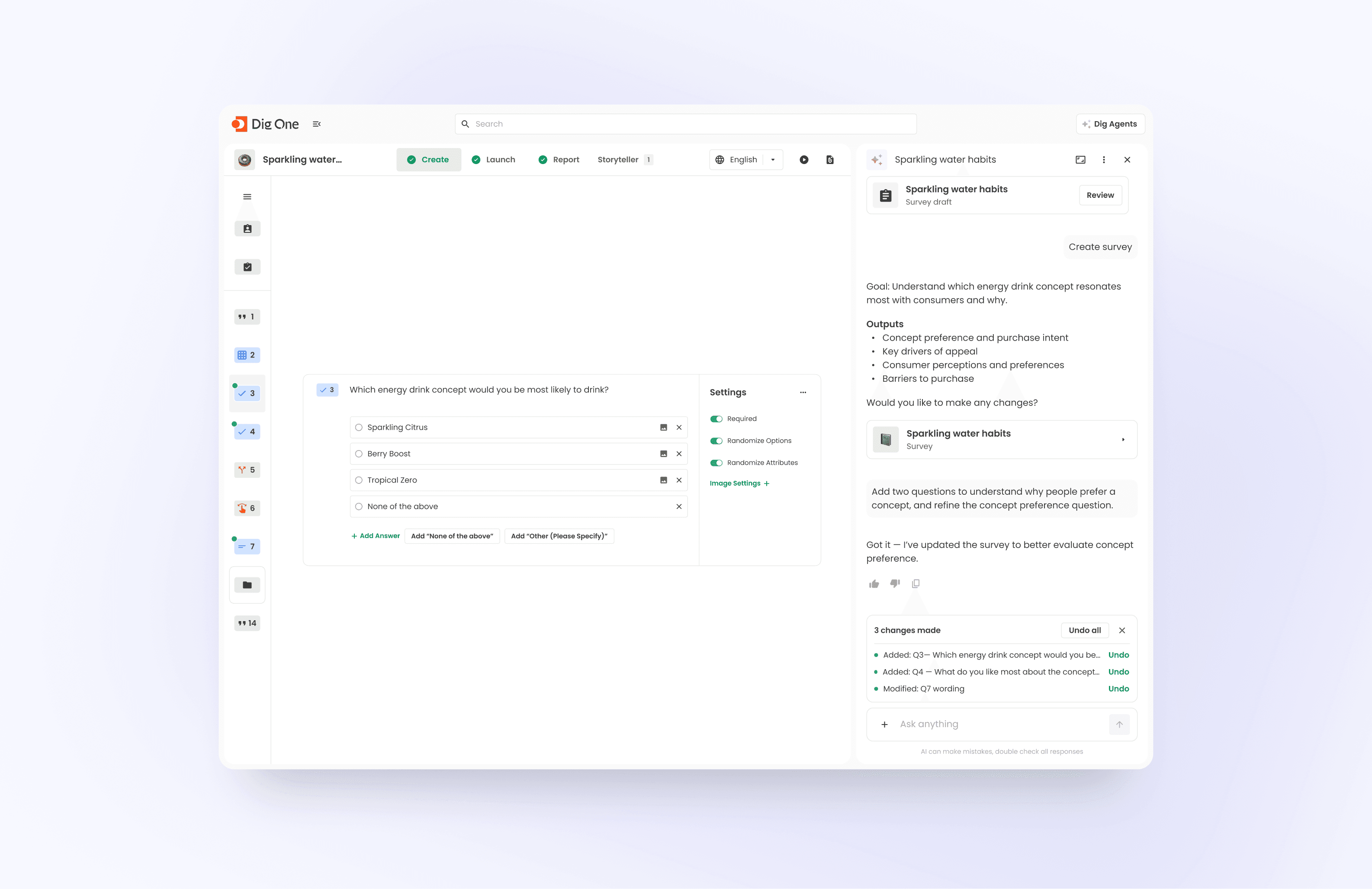
Users start with a research question. Drawing on Dig’s research expertise, the agent asks targeted scoping questions, defines the demographics, drafts an editable outline, and builds a study ready to field.
Once created, users can continue refining the study through the agent. Instead of manually editing questions and settings, they can describe changes in plain language and have the agent apply them. This makes iteration faster and more intuitive.








Key capabilities 02
Cross-Study Analysis
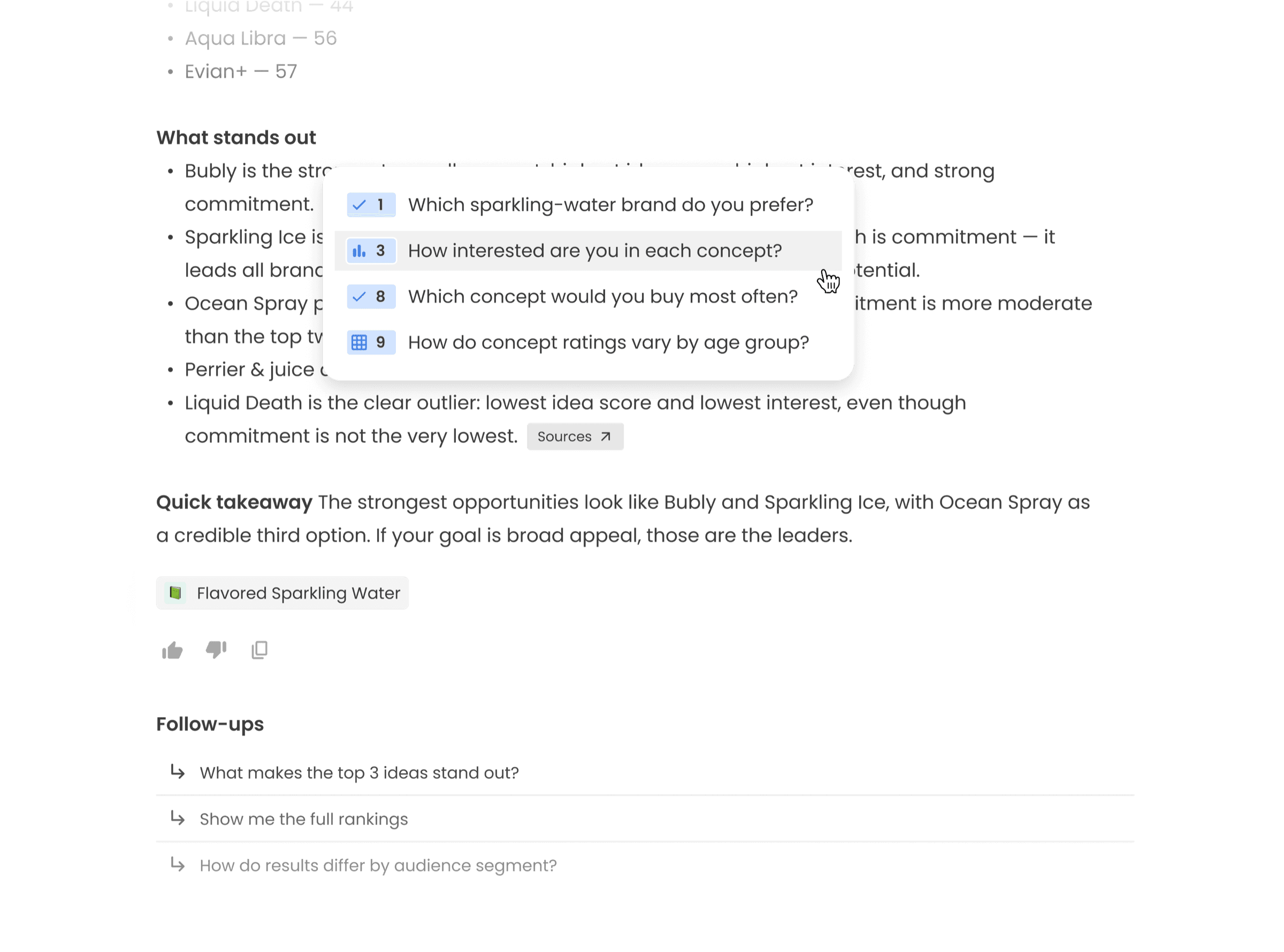
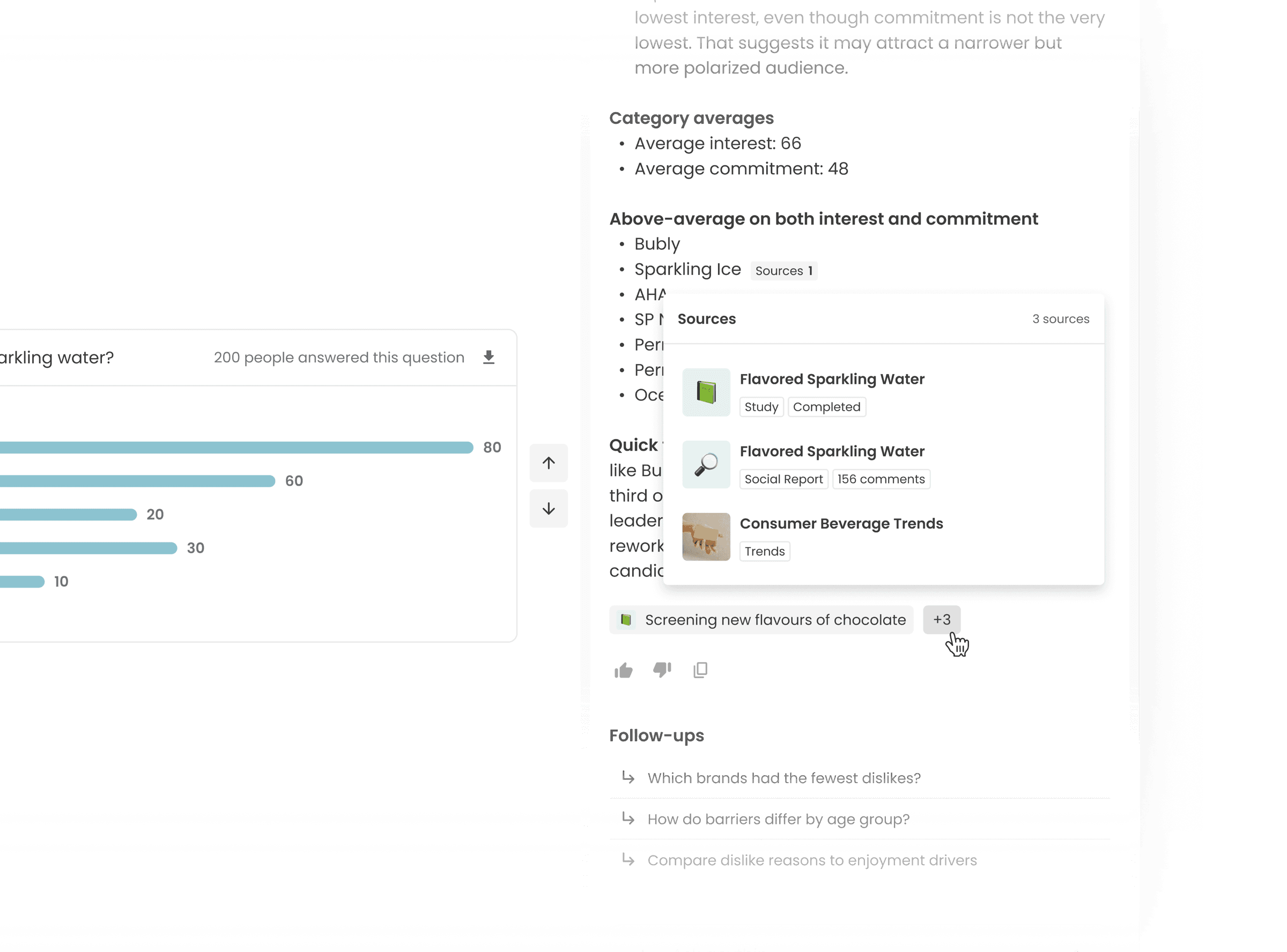
After fielding, the agent helps users make sense of the results, so they feel supported rather than left to navigate the data alone. It works across one or multiple studies and social reports, pulling together relevant data to answer questions in natural language and generate research-backed insights.
Key capabilities 03
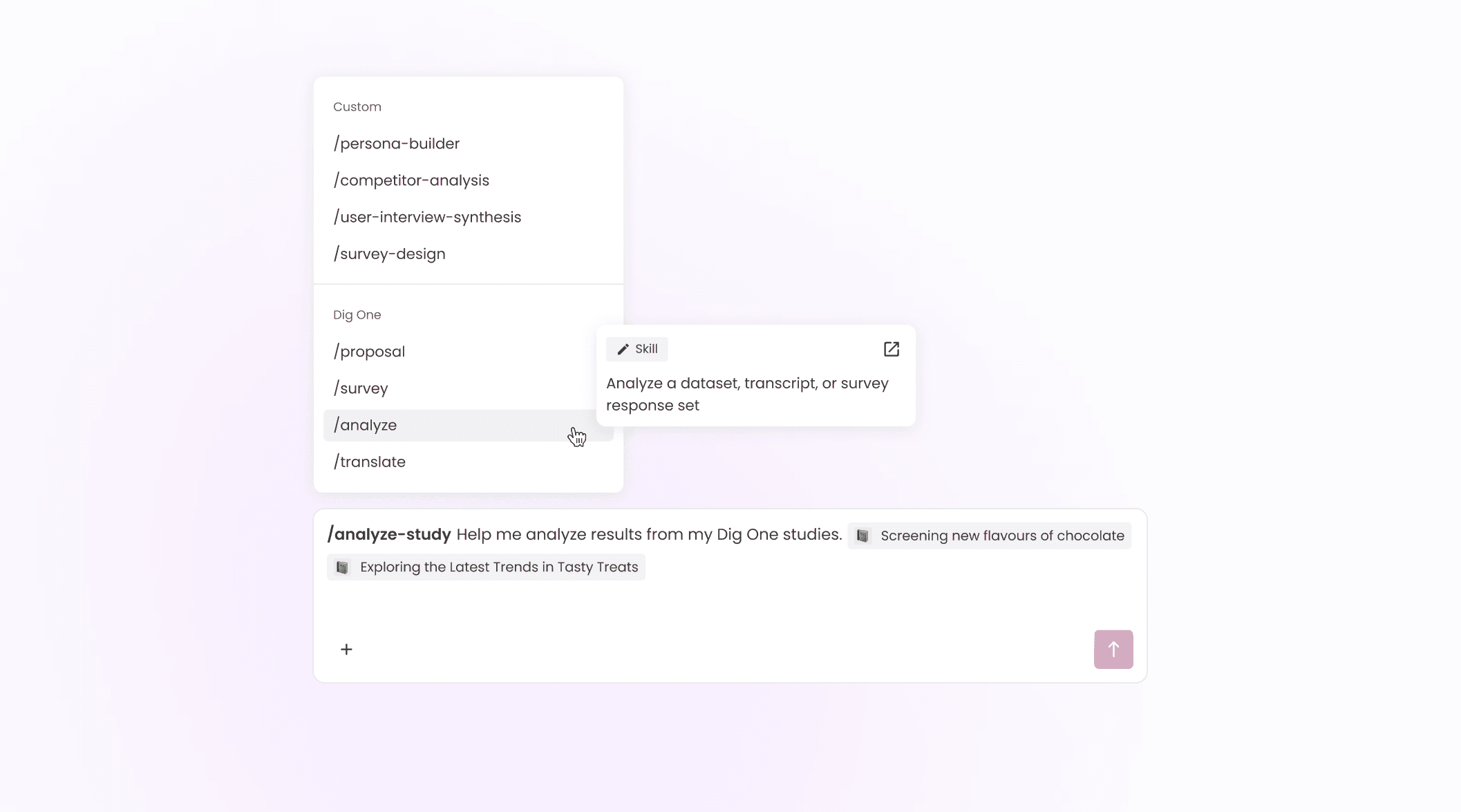
Skills & Command Menu
Good research workflows shouldn’t start from scratch every time. We turn AI capabilities into reusable skills the agent can execute, such as /survey, /social-report, /analyze. Users can instantly activate the right skill for the task at hand, so complex research work becomes faster and consistent across the team through a simple command.